MXQ Pro 4K 5G Android TV Box
Product Price
RWF150,000 RWF170,000
Description
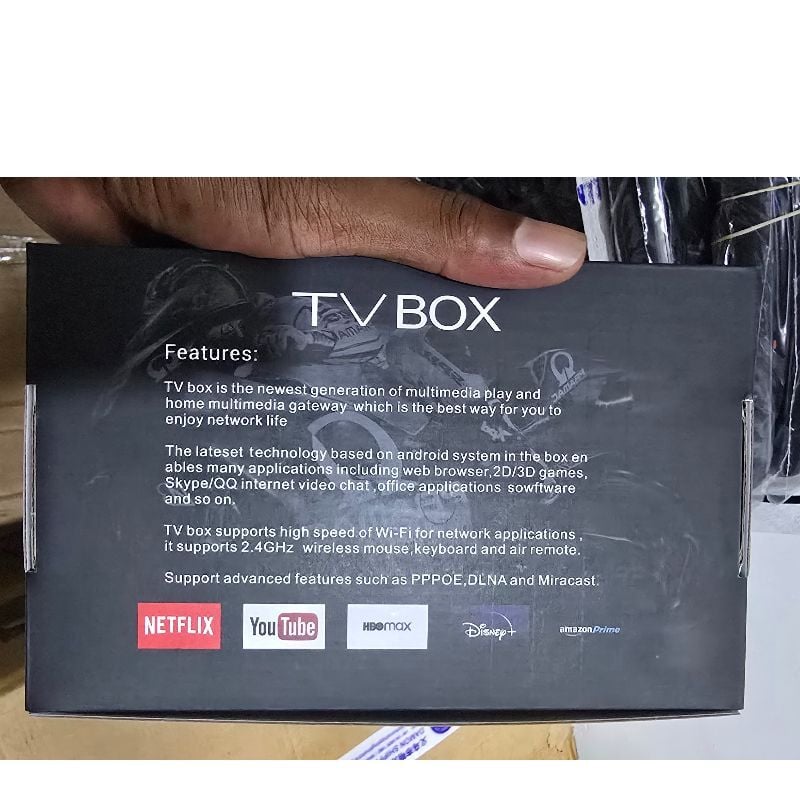
MXQ Pro 4K 5G Android TV Box. This generic multimedia gateway is designed to transform any standard television with an HDMI port into a smart TV, allowing you to stream videos, play games, and download apps.Key Advertised SpecificationsThe visual highlights on the box showcase several performance features:Operating System: Labeled as Android 13.0 (with a variant sticker showing 8G–128G storage capacity).Processor: Powered by a 64-Bit, 4-Core CPU.Video Playback: Supports 4K Ultra HD (UCD) resolution and HEVC H.265 video decoding for smoother streaming efficiency.Network Features: 5G Wi-Fi band support for faster wireless internet routing.Pre-installed Applications: Explicitly mentions compatibility with core platforms like Netflix.Step-by-Step Initial Setup GuideTo get the TV Box running, perform the mechanical connection sequence below: [ Wall Outlet ] [ Television ]
│ │
Power Adapter Cable HDMI/AV Cable
│ │
▼ ▼
┌──────────────────────────────────────────┐
│ MXQ Pro TV Box Rear Ports │
└──────────────────────────────────────────┘
Video Hookup: Connect one end of an HDMI cable to the back of the streaming box and the other end to an open HDMI port on your television. For older cathode-ray tube (CRT) monitors, utilize a 3.5mm AV-to-RCA composite cable instead.Power up: Insert the barrel connector of the included 5V power adapter into the DC input jack at the rear of the device, then plug the adapter brick directly into a wall power outlet.Change Video Input: Turn on your television. Grab your original TV remote control, press the Source or Input button, and choose the specific HDMI channel matching the port you used.Boot Sequence: Wait approximately 30 to 45 seconds for the home system interface to load. A solid blue LED light on the chassis front confirms the unit is fully powered on.Important Technical ConsiderationsStreaming Restrictions: Many uncertified white-label boxes lack official Google and Widevine L1 DRM security clearances. This can restrict mainstream premium applications like Netflix and Disney+ to standard definition playback (480p) or cause them to throw compatibility errors.Spec Padding: The storage figures printed on budget boxes (such as 128GB/256GB) are frequently exaggerated via modified firmware to hide much lower physical memory limits. For a smoother system interface, avoid overwhelming the unit with dozens of background apps simultaneously.
Product Information
- Brand
- BUY TV BOX IN RWANDA
- Tag
- TV BOX